

Griffou
Members
-
Joined
-
Last visited
Never
-
Thank you, i am looking and find the content interesting for a rookie like me
-
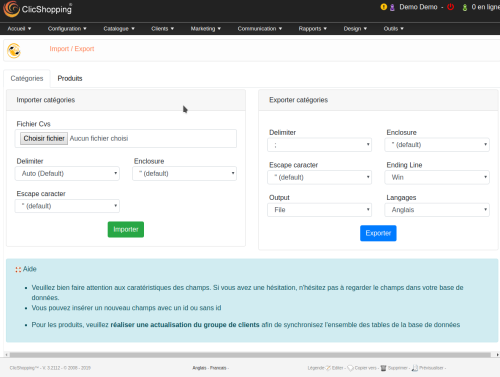 I am waiting a module like that for long time. It's done. I have installed on my test server and made some test, It works fine. Just a comment you must understand how the import to excel works. For someone do not know the code, it's useful. Thank you @ClicShopping
 -
You must activate the 2 settings about the configuration.
-
Hello, What's the settings do you try to activate ?
-
@Foster, Could you explain little more where this command must be done ?
-
I think the best to start is to create a layout like this example and after you can implement it.
-
A little link can be interesting to read abou the DSP2 : https://www.braintreepayments.com/blog/getting-up-to-speed-on-psd2-regulation-2/?_ga=1.263201612.1986673433.1566304981
-
Hi Carole In the past I try to work with chinese manufacturer. Some information, I think, you can use : 1. Register as self employed. 2. Research the market for potential competitors and pricing. 3. Register your designs. 4. Understand the fabrics you will be using. 5. Compare prices, quality, printing and communication with the 3 suppliers and choose the one that ticks most/all of your requirements. 6. Request a sample and negotiate a price, to include everything (product, packaging & labelling). 7. When you are happy with the sample, proceed to an order, after agreeing all the details, including payment terms. 8. Ensure you inspect the products before you make any final payment if it's possible by someone in China 9. When you feel you can start to order 300pcs (minimum) per colour/design, then at that point consider China. Best of luck with your project
-
You can install on your dashboard the module allow you to know if there is an update on not. Inside tools / extension, you have also a message
-
Exactly what I need, look the others tutorials, idea is great.
-
I have been the same problem. For me it was not the solution but my hoster. My Cpanel was not the good php / mysql configuration and I add to check some element like mysql ... if I remember. After that, all the installation and the software works very fine. If I can help you.
-
Is it a bug ? because I have been the same problem, I have just change the sort order and everything appear.
-
I agree with @Montkey. It's difficult because when you have a little company, you can not be everywhere and you must manage your budget. You have a product for the young people, Facebook will be the best. You are a product for the old people, maybe to have a presence like le bonpoint (in France) could the best option. In all case, it's important to know your customer and the provenance.
-
Ok, thank you, understand. lovk = lock
-
Hello, I have not tested again the newsletter. Someone could you explain how to send because I create a newsletter but after I don't know the process. Thank you.
