

Catalina
Members
-
Joined
-
Last visited
Never
Everything posted by Catalina
-
-
-
Hi, how to check if the email of the new user is real ? Do you have some solution ?
-
Just a questionm how to update my current version. Do they have something special to fo ?
-
Just a question, is complicate to make an upgrade ?
-
Is it someone can help to create a little module for that. Looking a little but I do ot know if it's better in header tag or in modules header ?
-
Hello, Do you if there a module allowing to display the language and translate the site ?
-
Hello, It's not long time I installed ClicShopping. I am not very good programmer. I installed little modules ? It's work again ? What is you recommendation ? Thank you.
-
Understood, thank you for your explanation.
-
Ok, We have just to push the order on another status (cancel) or create another specific status for the test.
-
Ok thank you, I will look
-
Ok, I understand, but If I want to include a scrolling image, can I use the banner manager for that ?
-
Hello, I would know why I can not delete an order ? Maybe I do not see the process.
-
Hello, With lot of anti advertisement on internet, I will know if you use an image or the banner ? With banner is better for the management, use an image is fix inside the template file ? I show a code to implement about the banner, I hesitate to use it.
-
@Monkey, If I understand well, I have just to move the files that I want inside the new template ?
-
Thank you, it seems a good way to understand.
-
I read the locked document in this forum. Do you have a practical example to develop a new template design ?
-
Hello, Thank you. yes I wil works with some artisanal company but I will try to include some vegan chocolat.
-
Hello, I come From Colombia and my goal is to sell chocolat. By the search engine, I am looking a opensource e-commerce application. I think ClicShopping can have the requirement to realize my project. I have just installed the solution and if I have a question I will put on the forum. Let me know if you want more on my project, I will be happy to share.
-
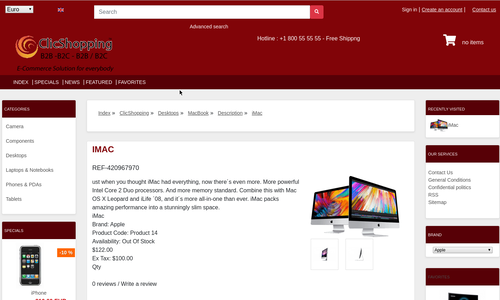 New design theme and based on an Christmas color on the product If you have included new modules, you must update in consequence your files and css You must just copy the files that you want change inside the template cool_effect directory. This module contains - The css - The modules Via the installation system administration ClicShopping Technical Prerequisites: None License : GPL 2 - MIT Modules: - Compatibility: >= version 3.0 - Multi languages Recommendation and documentation specific use : The module create a new directory inside the template directory All the new modules inserted inside the Default template will work with cool_effect template. If you must make an update, please, copy the files inside the cool_effect template. Implementation: - Copy the All Diretories inside Shop expcept ModuleInfosJson - Copy the template_chritsmas.json into ClicShopping/Work/Cache/Github (manual installation) - In your administration : Design / Configuration / Configuration : Change the website theme Download Github download : https://github.com/ClicShoppingV3Community/template_christmas/archive/master.zip Github : https://github.com/ClicShoppingV3Community/template_christmas.git Note : All the options inside modules are not included in the template. You must update in consequence what you wish. All informations about the ClicShopping Download ClicShopping : https://github.com/ClicShopping/ClicShopping_V3/archive/master.zip Community : https://www.clicshopping.org Software : https://github.com/ClicShopping trademark License info : https://www.clicshopping.org/forum/trademark/Free
