

Manupichu
Members
-
Joined
-
Last visited
-
I am new but I can understand the value to use chatGpt inside my website. I will try when the release will be ready
-
Hello, Do you recommend to reorganized the administration menu. In my case, I do not want to move a menu to another sub categories, just the sort order.
-
-
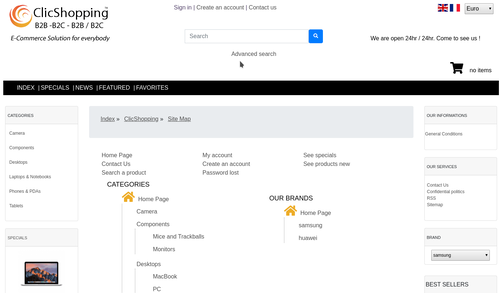 I installed this modules and works very fine. It's possible to define where you want to display the information it can be installed via the back office or manually
 -
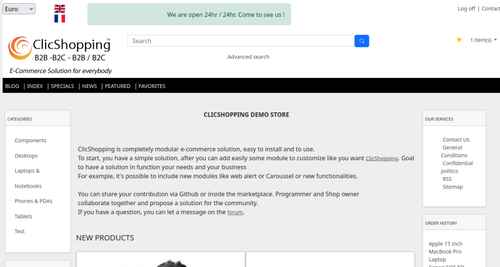 New design theme and based on an effect on the product If you have included new modules, you must update in consequence your files and css You must just copy the files that you want change inside the template cool_effect directory. This module contains - The css - The modules Via the installation system administration ClicShopping Technical Prerequisites: None License : GPL 2 - MIT Modules: - Compatibility: >= version 3.0 - Multi languages Recommendation and documentation specific use : The module create a new directory inside the template directory All the new modules inserted inside the Default template will work with cool_effect template. If you must make an update, please, copy the files inside the cool_effect template. Implementation: - Copy the All Diretories inside Shop expcept ModuleInfosJson - Copy the template_cool_effect.json into ClicShopping/Work/Cache/Github (manual installation) - In your administration : Design / Configuration / Configuration : Change the website theme Download Github download : https://github.com/ClicShoppingV3Community/template_cool_effect/archive/master.zip Github : https://github.com/ClicShoppingV3Community/template_cool_effect.git Note : All the options inside modules are not included in the template. You must update in consequence what you wish. All informations about the ClicShopping Download ClicShopping : https://github.com/ClicShopping/ClicShopping_V3/archive/master.zip Community : https://www.clicshopping.org Software : https://github.com/ClicShopping trademark License info : https://www.clicshopping.org/forum/trademark/Free
 -
About the preload, I take time to read, and I more moderate on that. Depends of the site, it can increase or not the website. I do not know if it will be implemented inside ClicShopping, we will see.
-
Hello, Look the Configuration / B2B or B2C Also you have an option on every module products listing to remove the button
-
I think o the marketplace there is an apps based on Twitter. I looked the image and it seems you can push your product on twitter with a link on your product description. Seems to be a good first approach ?
-
Hello, Inside the products module news, special ... it's possible to display an information with a stickers. Is it possible to extend the delay, I don't find the good setting to change that ? Have a good day
-
Hello @Slatan, Do you create a db inside your phpadmin. If you have not this db, you can not continue to install ClicShopping. look this article. It can help you to finalize the process. https://www.clicshopping.org/forum/blogs/entry/4-clicshopping-installation-process/ https://www.clicshopping.org/forum/blogs/entry/5-secure-clicshopping/
-
@ClicShopping, Thank you for this udapte. I will make the migration !!
-
Yes, of course A very simple approach. Inside modules_header/template/ add this files below After go in your administration Design/Layout/Header, edit your multi-template option and select your new template This example displays the logo and the login link and log off link if you are connected. create a file: my_new_header_test.php add this inside : <?php /** * * @copyright 2008 - https://www.clicshopping.org * @Brand : ClicShopping(Tm) at Inpi all right Reserved * @Licence GPL 2 & MIT * @licence MIT - Portion of osCommerce 2.4 * @Info : https://www.clicshopping.org/forum/trademark/ * */ use ClicShopping\OM\HTML; use ClicShopping\OM\CLICSHOPPING; ?> <div class="col-md-<?php echo $content_width; ?>"> <div class="row"> <div class="separator"></div> <span class="col-md-4"><?php echo $logo_header; ?><br /><br /></span> <?php if (!$CLICSHOPPING_Customer->isLoggedOn()) { ?> <span class="col-md-8 text-md-right"><?php echo HTML::link(CLICSHOPPING::link(null, 'Account&Login'), CLICSHOPPING::getDef('modules_header_multi_template_create_account')); ?></span> <?php } else { ?> <span class="col-md-8 text-md-right"><?php echo HTML::link(CLICSHOPPING::link(null, 'Account&LogOff'), CLICSHOPPING::getDef('modules_header_multi_template_account_logoff'));?></span> <?php } ?> </div> </div>
-
Yes, exact
-
Hello @McJordadino, look this module : https://www.clicshopping.org/forum/files/file/124-modules-checkout-shipping-warning/ https://www.clicshopping.org/forum/files/file/123-modules-checkout-shipping-information-banner/ I think ,it can be a response at your problem.
-
The best way is to use the default multi template module. lot of thing is incorporated inside. After you can take all or not ! You can, inside the template directory, to create new file and include your own html approach. If you need a specific information, in this case, it's better to create a new module.

