

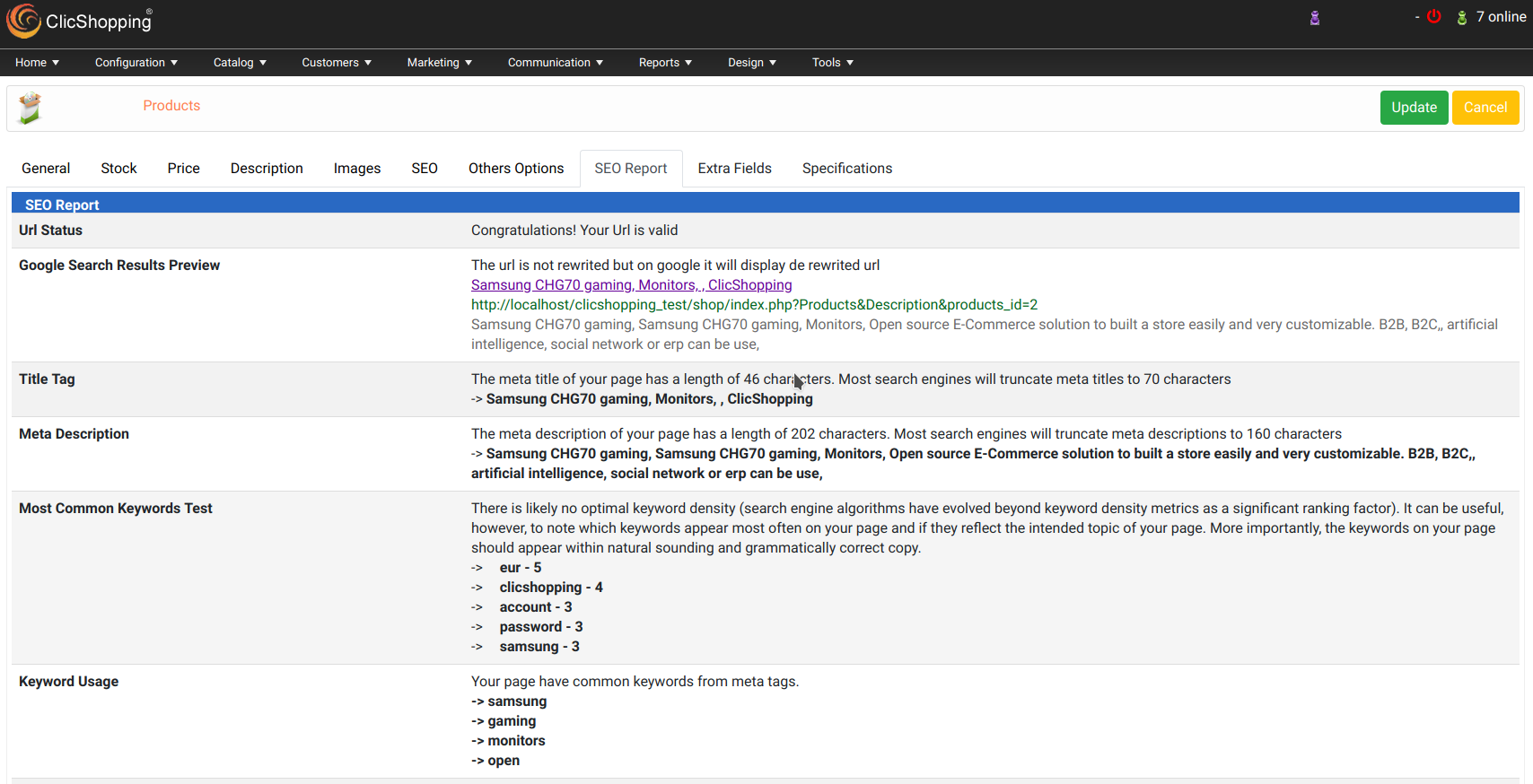
These hooks allow you to analyse your catalog web page across different criterias. A SEO report is made inside different page in your administration.
catalog page analysed
- Products page
- Products Categories
- Content page (index, content page ...)
- Blog Page
- Blog categories page
criterias selected :
- Url status
- Google seach preview
- Title tag
- Meta tag description
- Most common keywords test
- keywords usage
- H1 heading
- H2 heading
- H3 heading
- Sitemap
- Broken links
- Image alt
- Google analytics
- Favicon
- Loading page speed
- Flash
- Frame
- Css minification
- js minification
Grammar includes/Module/Hooks/Seo
your can add new language grammar dynamically Includes : French and English
Important Note :
The installation is manual and must be downloaded on the marketplace.
Copy the hooks in your directory
Copy sources in sources directory
Copy the hooks_marketing_seo_analyse.json into ClicShopping/Work/Cache/Github
licence : GPL 2 - MIT
Install :
The hooks is displayed by a tab inside different page, no installaion required
See Marketplace for all informations
All informations about the ClicShopping
Community : https://www.clicshopping.org
Software : https://github.com/ClicShopping
Official add on : https://github.com/ClicShoppingOfficialModulesV3
Community add on : https://github.com/ClicShoppingV3Community
trademark License info : https://www.clicshopping.org/forum/trademark/
What's New in Version 1.1
Released
No changelog available for this version.
Recommended Comments
Join the conversation
You can post now and register later. If you have an account, sign in now to post with your account.