

Darkows
Members
-
Joined
-
Last visited
Never
-
 Hello, The translation has nothing to do with the template, If you want to translate in other language, you must create another language inside the administration. if the language does not exist, the english language is by default
 -
Darkows joined the community
-
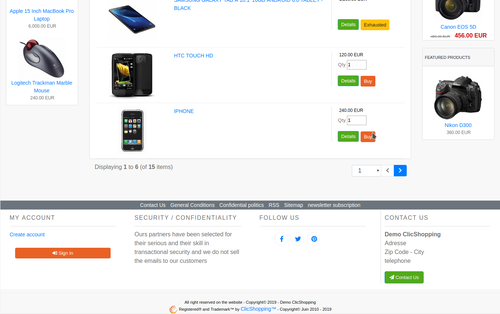
New design theme and based on Grocery theme. If you have included new modules, you must update in consequence your files. You must just copy the files that you want change inside the Grocery theme. This module contains The language files in English and French The css file in French and English The modules Via the installation system administration ClicShopping Technical Prerequisites: None License : GPL 2 - MIT compatibility: >= version 3.0 Recommendation and documentation specific use : The module create a new directory inside the template directory All the new modules inserted inside the Default template will work with Grocery template All the CSS must be included inside Grocery If you must make an update, please, copy the files inside the Grocery template. Implementation: Copy All Directories inside Shop except ModuleInfosJson Copy the template_grocery.json into ClicShopping/Work/Cache/Github (manual installation) In your administration : Design / Configuration / Configuration : Change the website theme Github Download How to download : https://github.com/ClicShoppingV3Community/template_grocery/archive/master.zip Github : https://github.com/ClicShoppingV3Community/template_grocery Download ClicShopping : https://github.com/ClicShopping/ClicShopping_V3/archive/master.zip Community : https://www.clicshopping.org Software : https://github.com/ClicShopping Official add on : https://github.com/ClicShoppingOfficialModulesV3 Community add on : https://github.com/ClicShoppingV3Community Trademark License info : https://www.clicshopping.org/forum/trademark/
-
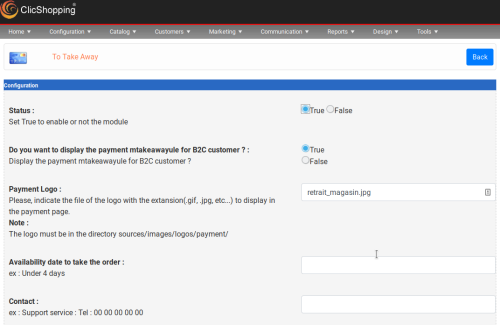 This apps will allow you to your customer to take the order in your shop (pick up) Important Note : Copy the apps_payment_take_away.json into ClicShopping/Work/Cache/Github licence : GPL 2 - MIT Install : http://monsite/myAdmin/index.php?A&Payment\TakeAway Activate the module in Payment
