

eTrouper
Members
-
Joined
-
Last visited
Never
Everything posted by eTrouper
-
-
Ok, it was this problem. But why the extension is renamed ? Do you know ?
-
Hello, I do not know what's happen but my image is not uploaded. It's JPEG image.
-
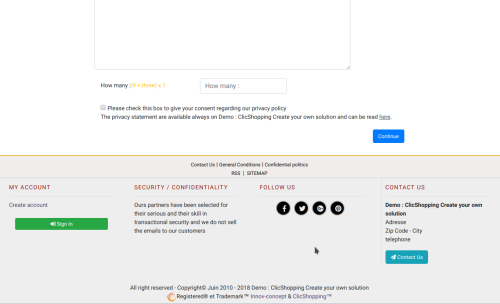 I installed this apps as recommended, It works very fine and potect all my forms. You have 2 choice, invisible antispam and numeric antispam. Of course you can use the both and select where you want to display your antispam. Nice apps.
 -
@ClicShopping Thank you for you work and maintain the solution. Thank you guy for your comment and advice for the upgrade
-
Hi, Do you have an idea about the point to focus on the catalog ?
-
Thank you @Carole, the link is very interesting. It will help me.
-
A big question that all e-merchants are trying to answer is: how can visitors to my site become my customers?
-
Hello, Currently I develop an e-commerce where I sell tea / tisané / infusion. I would like to offer my items to food stores for resale. Not far from home there is a shop that sells fruits and vegetables and bulk products, this store interests me in particular. My concern is that I do not really know how to do it, I think that I should build a solid file with my products, etc. But I do not really know what to put in it. I would like some advice or other solutions to finalize this project. thank you in advance
-
Thank for your ideas, indeed, the @Drack orientation seems the best.
-
Hello, I want to include at left a text and right and image rotative to present some event. Do you an idea how to make that ?
-
Ok, it's important to follow the same approach that the default directory. I tested one and I have been success. I started to understand. Thank you.
-
Thank you @Drack for these explanations. indeed the readme is well done and I found a video on the tutorial space. Now, all the files seems to be not inside the template, If I need to modify one, could tell the process to follow. Thank you.
-
I have just installed ClicShopping, could you tell me how to include a new template inside the application. I would know a little better how to proceed.