Drack
Members
-
Joined
-
Last visited
Files posted by Drack
-
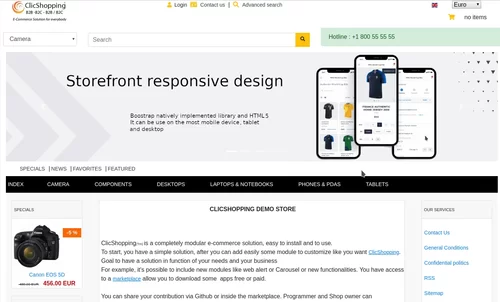
New design theme and based on Alibaba theme.
If you have included new modules, you must update in consequence your files.
You must just copy the files that you want change inside the Alibaba theme.
This module contains
The language files in English and French
The css file in French and English
The modules
Via the installation system administration ClicShopping
Technical Prerequisites: None
License : GPL 2 - MIT
compatibility: >= version 3.0
Recommendation and documentation specific use :
The module create a new directory inside the template directory All the new modules inserted inside the Default template will work with Alibaba template. If you must make an update, please, copy the files inside the Alibaba template.
Implementation:
Copy All Directories inside Shop except ModuleInfosJson
Copy the template_alibaba.json into ClicShopping/Work/Cache/Github (manual installation)
In your administration : Design / Configuration / Configuration : Change the website theme
Download
How to download : https://github.com/ClicShoppingV3Community/template_alibaba/archive/master.zip
Github : https://github.com/ClicShoppingV3Community/template_alibaba
Download ClicShopping : https://github.com/ClicShopping/ClicShopping_V3/archive/master.zip
Community : https://www.clicshopping.org
Software : https://github.com/ClicShopping
trademark License info : https://www.clicshopping.org/forum/trademark/
-
This apps will allow you to add Payplug hosting Payment in your website
- Hosting version
- Simplicité : Sans contrat VAD
- Conversion des ventes : Boostez vos ventes grâce à nos pages de paiement responsive mobile
- An account on Payplug must be created
Technical Prerequisites: None
More information about Payplug : https://www.payplug.com
Modules:
- License GPL2 - MIT
- Compatibility: >= version 3.0
- No core modification
- Language French and english
Recommendation and documentation specific use :
Important Note :
You must have an account at https://www.payplug.com
- You site must have a valid ssl certificate
- A help section is including inside the apps
- The payment works only in CAD or USD currency
- To use this apps, you must install composer on your local server or your server (apt-get install composer for linux).
- The exec function must be authorised by your hoster else the auto installation will not work (for the libray but the apps will be installed).
- To install manually the library Inside the shop directory (where there is composer.json file)
composer require payplug/payplug-php ==> installation
composer update payplug/payplug-php ==> update
composer remove payplug/payplug-php ==> remove
Once this installaton is made, you can set the apps.
Install :
http://monsite/myAdmin/index.php?A&Payment\PlayPlug
Activate the module in Payment
Copy the apps_payment_payplug.json into ClicShopping/Work/Cache/Github (manual installation)
About ClicShopping
Download ClicShopping : https://github.com/ClicShopping/ClicShopping_V3/archive/master.z
Community : https://www.clicshopping.org
Software : https://github.com/ClicShopping
trademark License info : https://www.clicshopping.org/forum/trademark/
- Free
- 10 Downloads
Updated -
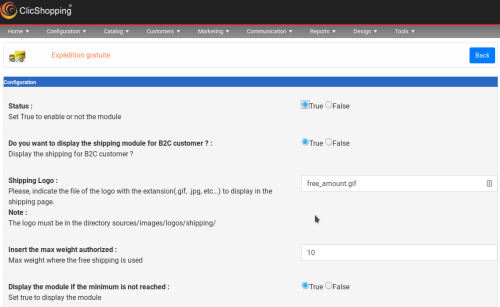
This apps will allow you to display free shipping in function an amount
It comes with a hook to display an information in the shopping cart
This modules depends of ms_shopping_cart_products_listing for the hooks
Important
Note : Copy the apps_shipping_free_shipping_amount.json into ClicShopping/Work/Cache/Github
licence : GPL 2 - MIT
Install : http://monsite/myAdmin/index.php?A&Shipping\FreeShippingAmount
Activate the module in Shipping
- Free
- 25 Downloads
Updated -
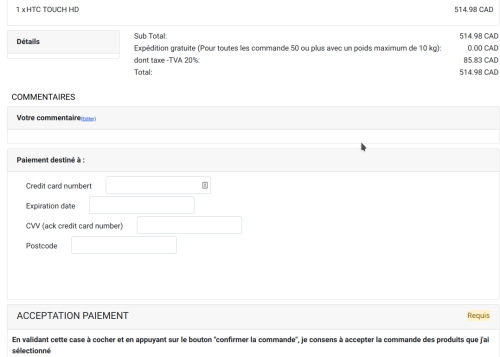
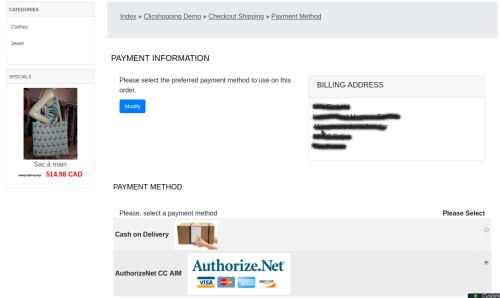
AIM allows merchants to host their own secure payment form and send transactions to the payment gateway using an end-to-end secure sockets layer (SSL) connection.
The Advanced Integration Method (AIM) is recommended connection method and offers the most secure and flexible integration.
- Latest AuthorizeNet API
- Employs industry standard secure data encryption technology
- Secure Sockets Layer (SSL) protocol.
- Uses transaction key authentication for ultimate security.
- Allows control over all phases of the customer's online transaction experience.
- Configurable transaction response integrates easily with merchant applications.
- The payment works only in CAD or USD currency
website : https://www.autorizenet.com
Language :
French and English
Important Note :
You must have an account to AuthorizeNet.
You site must have a valid ssl certificate to use this apps
A help section is including inside the apps
The payment works only in CAD or USD currency
licence : GPL 2 - MIT
- To use this apps, you must install composer on your local server or your server (apt-get install composer for linux).
- The exec function must be authorised by your hoster else the auto installation will not work (for the libray but the apps will be installed).
- To install manually the library Inside the shop directory (where there is composer.json file)
composer require authorizenet/authorizenet ==> installation
composer update authorizenet/authorizenet ==> update
composer remove authorizenet/authorizenet ==> remove
Once this installaton is made, you can set the apps.
Install :
http://monsite/myAdmin/index.php?A&Payment\AuthorizeNet
Activate the module in Payment
Copy the apps_payment_authorizenet.json into ClicShopping/Work/Cache/Github (manual installation)
See Marketplace for all informations
All informations about the ClicShopping
Community : https://www.clicshopping.org
Software : https://github.com/ClicShopping
- Free
- 19 Downloads
Updated