

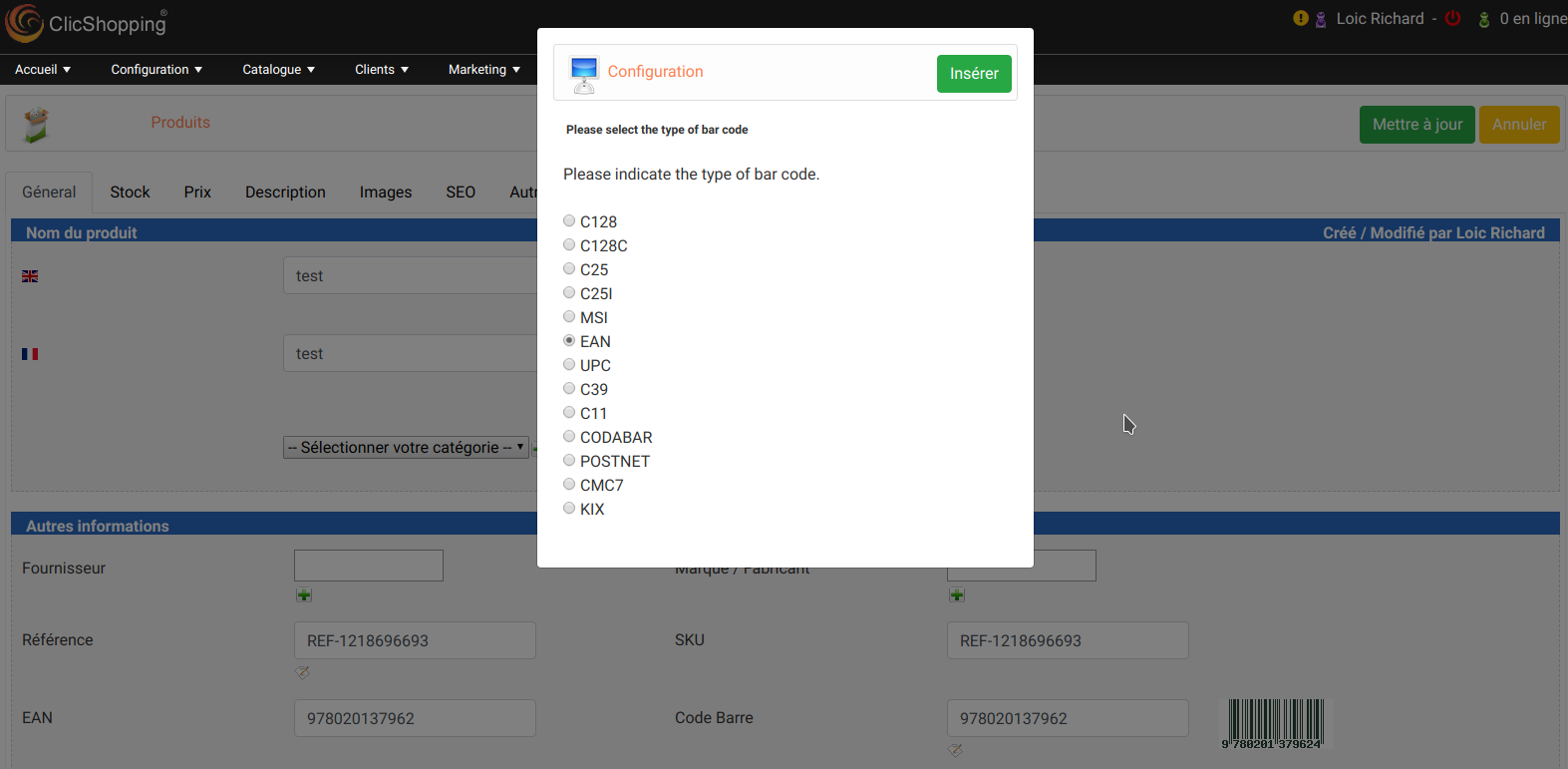
This apps will allow to display a code bar inside in your products admin and Catalog in the product description
Some codebar configuration can be used (see the photo) :
C128
C25
MSI
EAN
UPC
C39
Codabar
...
You can create different template
This module contains
The language files in English and French
The css file in French and English
The module
Modules:
Technical Prerequisites: None
License : GPL 2 - MIT
Compatibility: >= version 3.0
Multi languages
Recommendation and documentation specific use :
The module is installed in the Default template. If you have another template, you must copy the sources files inside your new template (only sources directory).
Manual Implementation:
Activate the module in admin : http://localhost/clicshopping_test/Shop/ClicShoppingAdmin/index.php?A&Catalog\ProductsBarCode
Activate the module in shop : https://monsite/myAdmin/modules.php?set=modules_products_info
Copy the apps_catalog_products_barcode.json into ClicShopping/Work/Cache/Github (manual installation)
All informations about the ClicShopping
Community : https://www.clicshopping.org
Software : https://github.com/ClicShopping
Trademark License info : https://www.clicshopping.org/forum/trademark/
What's New in Version 1.0.1
Released
No changelog available for this version.
You may only provide a review once you have downloaded the file.
There are no reviews to display.