
Skip to content
View in the app

A better way to browse. Learn more.

Clicshopping AI, Free generative artificial intelligence e-commerce Open Source , Open Source Store Onlne

A full-screen app on your home screen with push notifications, badges and more.

To install this app on iOS and iPadOS
  1. Tap the Share icon in Safari
  2. Scroll the menu and tap Add to Home Screen.
  3. Tap Add in the top-right corner.
To install this app on Android
  1. Tap the 3-dot menu (⋮) in the top-right corner of the browser.
  2. Tap Add to Home screen or Install app.
  3. Confirm by tapping Install.

Apps guest customer 1.0.0

70.00 EUR · Renewal Term: 12.00 EUR/6 months

(0 reviews)

3 Screenshots

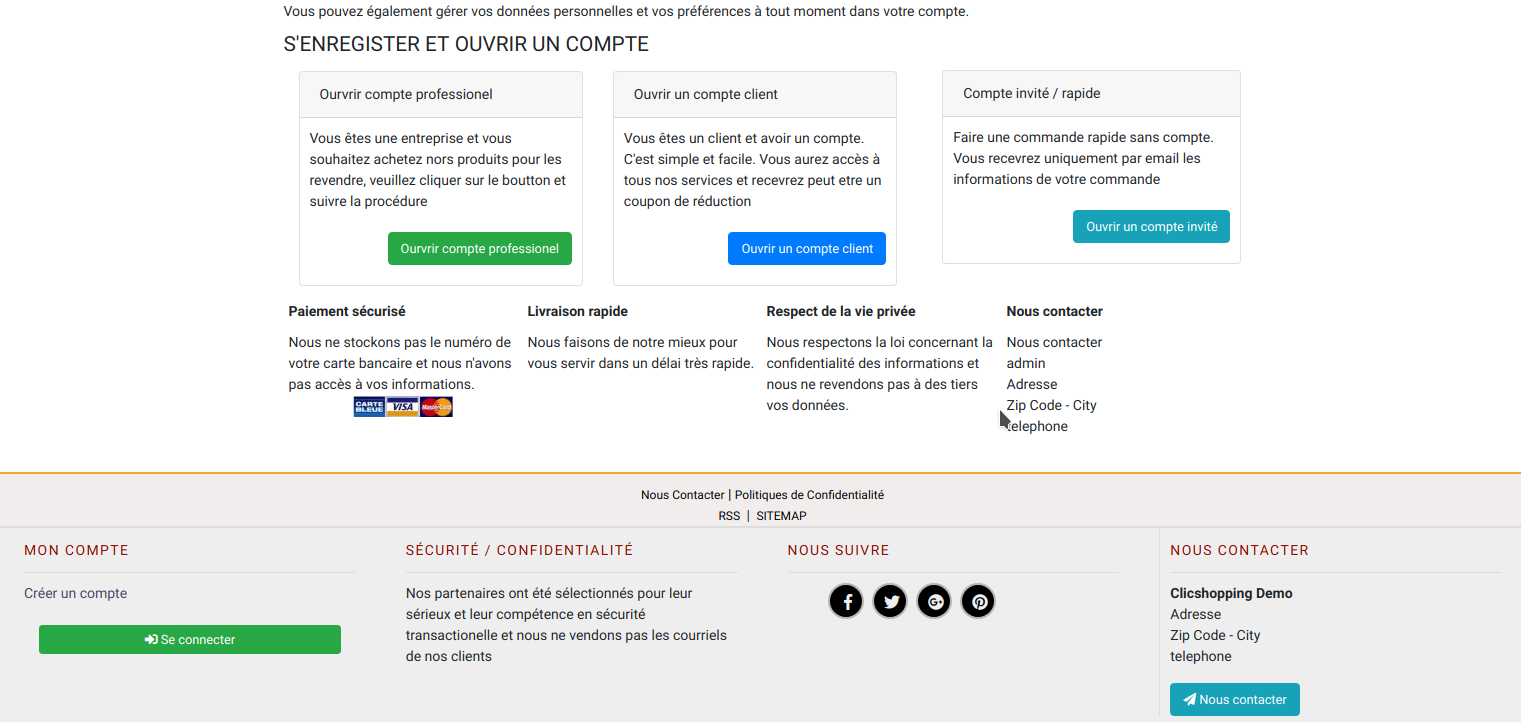
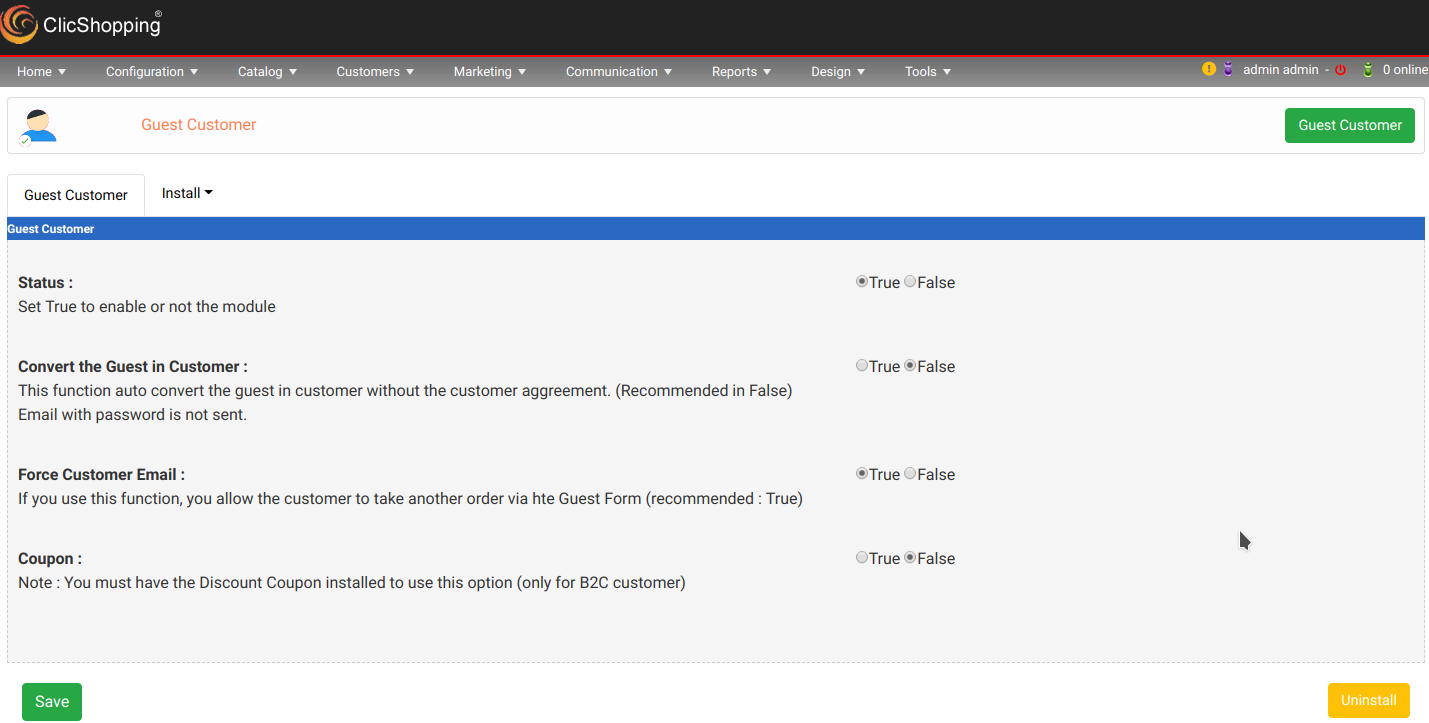
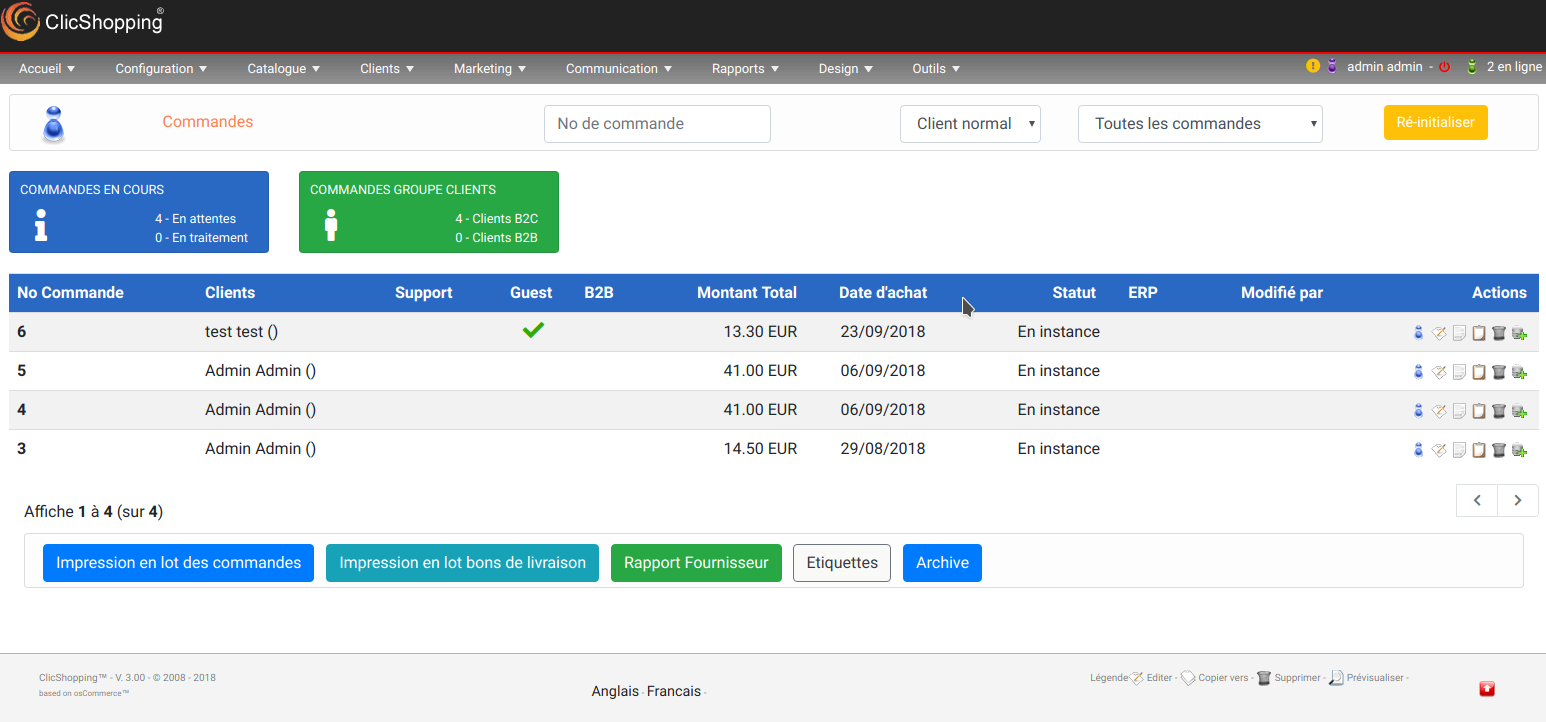
This apps will allow you manage the guest customer across your admin and also to accept new guest customer in your front office


Your back office
Force the guest to come customer
Accept the same guest customer like a guest
Sent discount coupon if you have this application installed


In frontoffice :
Modules about create guest account (to be installed)
Modules in checkout success (to be installed)
Modules in action recorder (to be installed)

Important Note :
 

Modules

French and English

CSS

licence  : GPL 2 - MIT


Install :

Copy all directories in Shop except ModulesInfosJson
Copy the apps_customers_guest_customer.json into ClicShopping/Work/Cache/Github


https://monsite/myAdmin/index.php?A&Customers\GuestAccount


Do not forget to activate the modules in

Design/Account/Guest account
Design/Account/Login
Design/Checkout/Checkout Success
Tool/Security/ActionRecorder/create_guest_account


If you have the antispam installed do not forget to activate the module


All informations about the ClicShopping

Software : https://github.com/ClicShopping

trademark License info : https://www.clicshopping.org/forum/trademark/


What's New in Version 1.0.0

Released

No changelog available for this version.


description_summary

This apps will allow you manage the guest customer across your admin and also to accept new guest customer in your front office

User Feedback

Recommended Comments

There are no comments to display.

Join the conversation

You can post now and register later. If you have an account, sign in now to post with your account.
Note: Your post will require moderator approval before it will be visible.

Guest
Unfortunately, your content contains terms that we do not allow. Please edit your content to remove the highlighted words below.
Add a comment...

Important Information

By using this site, you agree to our Terms of Use

Account

Navigation

Search

Search

Configure browser push notifications

Chrome (Android)
  1. Tap the lock icon next to the address bar.
  2. Tap Permissions → Notifications.
  3. Adjust your preference.
Chrome (Desktop)
  1. Click the padlock icon in the address bar.
  2. Select Site settings.
  3. Find Notifications and adjust your preference.