Search the Community
Showing results for tags 'image'.
Found 3 results
-
I saw inside the administration that ClicShopping can transform all the image in webp. But it wrote : some server do not accept that ? Can I use this function ?
-
Version 1.0.0
4 downloads
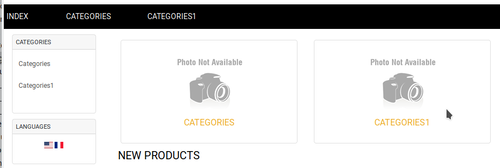
Allow to display the categorie images in your front page and the title of the categories This module contains - The language files in English and French - The css file in French and English - The module Via the installation system administration ClicShopping Technical Prerequisites: None Modules: - Compatibility: >= version 3.0 - Multi languages - License : GPL 2 - MIT Recommendation and documentation specific use : The module is installed in the Default template. If you have another template, you must copy the files inside your new template. Implementation: - Install the module - Activate the module Design /Store Index/ Home - Copy the modules_front_page_categories_image.json into ClicShopping/Work/Cache/Github (manual installation) All informations about the ClicShopping Community : https://www.clicshopping.org Software : https://github.com/ClicShopping Official add on : https://github.com/ClicShoppingOfficialModulesV3 Community add on : https://github.com/ClicShoppingV3Community trademark License info : https://www.clicshopping.org/forum/trademark/20.00 EUR -
Version 1.0.0
10 downloads
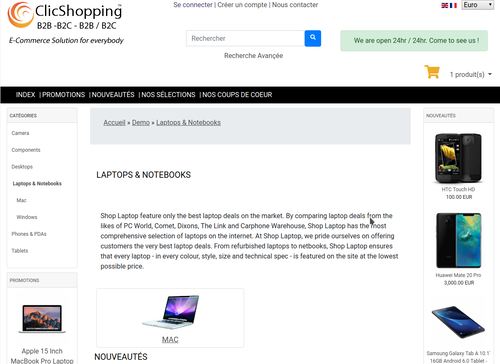
This module displays a category image inside the categories managed by the categories admin You have different option to resize the image as you want This module contains - The language files in English and French - The css file in French and English - The module Via the installation system administration ClicShopping Technical Prerequisites: None License : GPL 2 - MIT Modules: - Compatibility: >= version 3.0 - Multi languages Recommendation and documentation specific use : The module is installed in the Default template. If you have another template, you must copy the files inside your new template. Implementation: - Install the module - Activate the module Design / Store Index / Categories - Copy the modules_index_categories_image.json into ClicShopping/Work/Cache/Github (manual installation) All informations about the ClicShopping Community : https://www.clicshopping.org Software : https://github.com/ClicShopping Official add on : https://github.com/ClicShoppingOfficialModulesV3 Community add on : https://github.com/ClicShoppingV3Community trademark License info : https://www.clicshopping.org/forum/trademark/25.00 EUR