Skip to content
View in the app

A better way to browse. Learn more.

Clicshopping AI, Free generative artificial intelligence e-commerce Open Source , Open Source Store Onlne

A full-screen app on your home screen with push notifications, badges and more.

To install this app on iOS and iPadOS
  1. Tap the Share icon in Safari
  2. Scroll the menu and tap Add to Home Screen.
  3. Tap Add in the top-right corner.
To install this app on Android
  1. Tap the 3-dot menu (⋮) in the top-right corner of the browser.
  2. Tap Add to Home screen or Install app.
  3. Confirm by tapping Install.
  • Search By Tags

    Search will match any tag entered
  • Search By Author

Content Type

Forums

  • News and Annoucement
    • Latest news for community
  • ClicShoppingV3
    • Documentation
    • Installation & Configuration & Operation
    • Community Developement
    • Best pratices / tip / trips and training
  • General
    • Optimization / Marketing
    • General discussions
    • Archives

Blogs

  • E-commerce General
  • ClicShopping

Product Groups

  • Ambassador
  • Partnership
  • Hosting plan

Categories

  • Apps
    • Apps Payment
    • Apps Configuration
    • Apps Shipping
    • Apps Catalog
    • Apps Communication
    • Apps Customers
    • Apps Marketing
    • Apps Orders
    • Apps Order Total
    • Apps Report
    • Apps Social Network
    • Apps Tools
    • Apps Web Service
  • Design
  • Template
    • modules_boxes
    • modules_products_info
    • modules_front_page
    • modules_footer
    • modules_header
    • modules_index_categories
    • modules_account_customers
    • modules_products_featured
    • modules_products_heart (favorites)
    • modules_blog
    • modules_blog_content
    • modules_checkout_confirmation
    • modules_checkout_payment
    • modules_checkout_shipping
    • modules_checkout_success
    • modules_tell_a_friend
    • modules_contact_us
    • modules_create_account
    • modules_create_account_pro
    • modules_advanced_search
    • modules_login
    • modules_products_listing
    • modules_products_new
    • modules_products_reviews
    • modules_products_search
    • modules_products_special
    • modules_shopping_cart
    • modules_sitemap
    • Autres modules
  • Hooks
    • Hooks Admin
    • Hooks Shop
  • Languages
  • Modules
    • Modules Export
    • Modules Imports
    • Modules Others
    • Modules Dashboard

Find results in

Find results that contain...

Date Created

  • Start

    End

Last Updated

  • Start

    End


Filter by number of...

  • Minimum number of comments

  • Minimum number of replies

  • Minimum number of reviews

  • Minimum number of views

Found 1 result

    • 1 download
    • Version 1.0.0
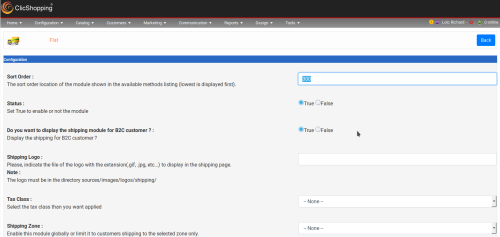
    This apps will allow you to display the shipping price by item Important Note : Copy the apps_shipping_item.json into ClicShopping/Work/Cache/Github licence : GPL 2 - MIT Install : http://monsite/myAdmin/index.php?A&Shipping\Item Activate the module in Shipping All informations about the ClicShopping Community : https://www.clicshopping.org Software : https://github.com/ClicShopping trademark License info : https://www.clicshopping.org/forum/trademark/ Github : https://github.com/ClicShoppingOfficialModulesV3/apps_shipping_item Github Download : https://github.com/ClicShoppingOfficialModulesV3/apps_shipping_item/archive/master.zip
    Free

Important Information

By using this site, you agree to our Terms of Use

Account

Navigation

Search

Search

Configure browser push notifications

Chrome (Android)
  1. Tap the lock icon next to the address bar.
  2. Tap Permissions → Notifications.
  3. Adjust your preference.
Chrome (Desktop)
  1. Click the padlock icon in the address bar.
  2. Select Site settings.
  3. Find Notifications and adjust your preference.