
Search the Community
Showing results for tags 'export'.
Found 4 results
-
Version 1.0.0
104 downloads
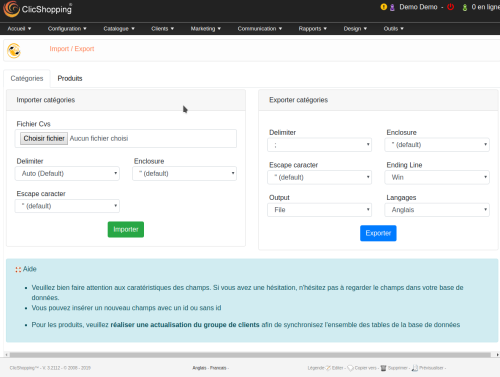
This apps allow you to import or export your categories and products in csv format. It's useful is you need to change or manage yours categories or products via excel files. A hooks is included and allow you to implement new importation or exportation (suppliers, manufacturers, attributes ...) - Update, insert products - Quick update (model, stock, ean) Licence : GPL 2 - MIT Language : English and French Important Note : You must understand the fields characteristics and actions to make to use correctly this apps. Install : - Via the Admin of ClicShopping (Automatic installation) The installation (manual). - Copy all the files inside your shop directory - Copy the apps_catalog_import_export.json into ClicShopping/Work/Cache/Github - https://monsite/myAdmin/index.php?A&Catalog\ImportExport - Activate the module Catalog/ImportExport Download Github source : https://github.com/ClicShoppingV3Community/apps_catalog_import_export.git Github Download : https://github.com/ClicShoppingV3Community/apps_catalog_import_export/archive/master.zip All informations about the ClicShopping Community : https://www.clicshopping.org Software : https://github.com/ClicShopping Official add on : https://github.com/ClicShoppingOfficialModulesV3 Community add on : https://github.com/ClicShoppingV3Community trademark License info : https://www.clicshopping.org/forum/trademark/Free -
 this capsule explains how to install the "apps tools export data" module in clicshopping. For more information you can go on the market place :https://www.clicshopping.org/forum/files/file/33-apps-tools-export-price-comparator/
 -
Version 1.0.1
5 downloads
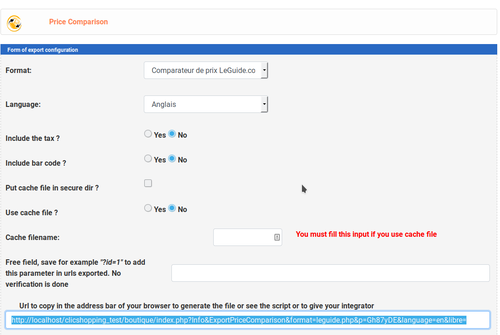
This apps will allow you to export some data in xml, csv, txt format for price comparator You can have a n option to make that in real time or a file registered on your server You can add all the elements that you want to export in another website. You also can manage with Quick update Apps or inside product administration to allow or not an export Important This app come with some elements priceminister facebook i nfoprix.ca google shopping / merchant product table twenga icomparateur c-cher kelkoo ciao This module contains - The language files in English and French - Some module in xml, csv. Via the installation system administration ClicShopping Technical Prerequisites: None License : GPL 2 - MIT Modules: - Compatibility: >= version 3.0 - Multi languages Recommendation and documentation of specific use : None Note : Copy the apps_tools_export_price_comparison.json into ClicShopping/Work/Cache/Github Install Install : https://monsite/myAdmin/index.php?A&Tools\ExportPriceComparison Activate the module in Tools Implementation: - Menu Tools / Export / import - https ://monsite/myAdmin/index.php?A&Tools\ExportPriceComparison - Activate the module - Copy the apps_export_pricescomparison.json into ClicShopping/Work/Cache/Github (manual installation) All informations about the ClicShopping Community : https://www.clicshopping.org Software : https://github.com/ClicShopping trademark License info : https://www.clicshopping.org/forum/trademark/60.00 EUR -
Version 1.0.0
5 downloads
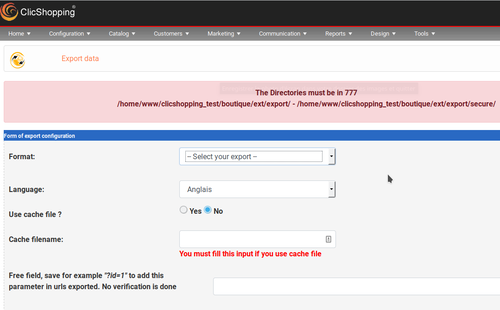
This apps will allow you to export some data in xml format. You can download or insert in secure directory the exportation Also, you can create your own export in xml this app come with some export customers manufacturers newsletter newsletter_no_account product suppliers all_product Important Note : Copy the apps_tools_export_data.json into ClicShopping/Work/Cache/Github licence : GPL 2 - MIT Install : http://monsite/myAdmin/index.php?A&Tools\EditTemplateProduct Activate the module in Tools60.00 EUR


