

Snoopy
Members
-
Joined
-
Last visited
Everything posted by Snoopy
-
Ok thank you, I just basic knowledge in php. Your answer is cool
-
Hello, Inside the products admin page, There are 2 fields for the weight, one for the weight, one for the weight type. my question is I want to make a module to display different weight type conversion. Can I do that, or I make to write something to display the conversion. Example : Kg => Lb
-
@Patrick Do you think about these information ? https://www.clicshopping.org/forum/blogs/blog/3-clicshopping/ I just started !
-
Ok, thank you, I will look inside my panel if I can change the version.
-
Hello, I am new and I have a server based on php 6.x . I would know if ClicShopping works with this version ?
-
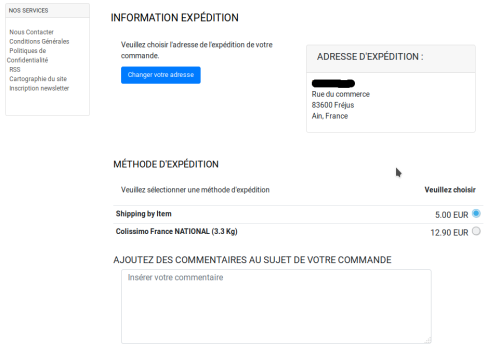 This apps will allow you to display the colissimo french shipping with Dom Tom and international - The language files in English and French Technical Prerequisites: None Modules: - License GPL2 - MIT - Compatibility: >= version 3.0 - No core modification Recommendation and documentation specific use : Important Note : Copy the apps_shipping_colissimo.json into ClicShopping/Work/Cache/Github (manual installation) Install : http://monsite/myAdmin/index.php?A&Shipping\Colissimo Implementation: Activate the module in Shipping Github: Github link : https://github.com/ClicShoppingOfficialModulesV3/apps_shipping_colissimo Download application : https://github.com/ClicShoppingOfficialModulesV3/apps_shipping_colissimo/archive/master.zip All informations about the ClicShopping Community : https://www.clicshopping.org Software : https://github.com/ClicShopping Official add on : https://github.com/ClicShoppingOfficialModulesV3 Community add on : https://github.com/ClicShoppingV3Community trademark License info : https://www.clicshopping.org/forum/trademark/Free