Carole
Members
-
Joined
-
Last visited
Files posted by Carole
-
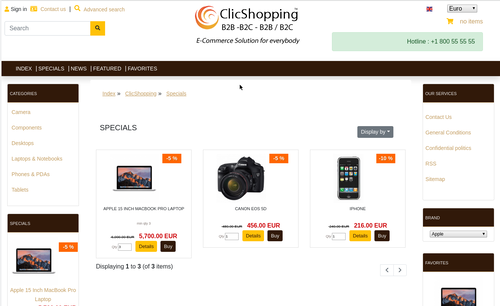
New design theme and based on chocolat theme.
If you have included new modules, you must update in consequence your files and css
You must just copy the files that you want change inside the template chocolat directory.
This module contains
- The language files in English and French
- The css file in French and English
- The module
Via the installation system administration ClicShopping
Technical Prerequisites: None
License : GPL 2 - MIT
French/ English
Modules:
- Compatibility: >= version 3.0
- Multi languages
Recommendation and documentation specific use :
The module create a new directory inside the template directory
All the new modules inserted inside the Default template will work with chocolat template.
If you must make an update, please, copy the files inside the chocolat template.
Implementation:
- Copy the All Diretories inside Shop expcept ModuleInfosJson
- Copy the template_chocolat.json into ClicShopping/Work/Cache/Github (manual installation)
- In your administration : Design / Configuration / Configuration : Change the website theme
Github
Apps link : https://github.com/ClicShoppingV3Community/template_chocolat
All informations about the ClicShopping
Community : https://www.clicshopping.org
Software : https://github.com/ClicShopping
trademark License info : https://www.clicshopping.org/forum/trademark/